GoBus SG now runs natively on Apple Watch and Wear OS. Live LTA bus arrivals, your favourite stops, a Smart Stack widget and a watch-face complication — all on your wrist, with no phone in your hand.
The wrist is the new bus stop screen
At a bus stop, the question is always the same: how long? The phone is a slow way to answer it. The wrist is faster.
GoBus SG on Apple Watch and Wear OS is built around that single idea. Raise your wrist, see the next bus — no unlock, no scroll, no spinner.
Native, not mirrored
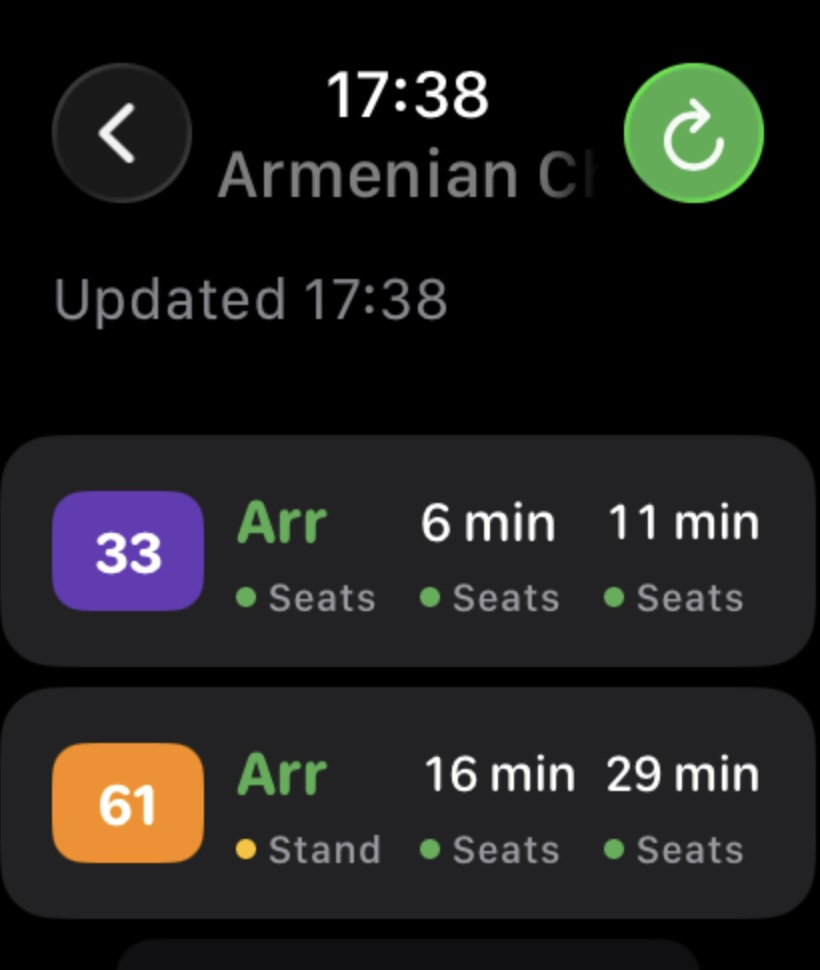
The watch app is a real app on both platforms — not a phone projection that waits for your phone to wake up.
- watchOS — a native app that talks to LTA directly from the watch.
- Wear OS — a native app with its own network, Tile and complication-style data.
- Favourites sync over automatically and cache locally, so the first launch already shows live arrivals.
Cold open is under two seconds: wrist up, number there.
A glance, not an app
Pin the Smart Stack widget on Apple Watch — or the Tile on Wear OS — to your most-used stop. From then on, the next buses live above your watch face. No tap required.
Each row shows the service number, the next arrivals, and a colour dot — green for seats, yellow for standing, red for packed. Same language as the phone, straight from LTA.
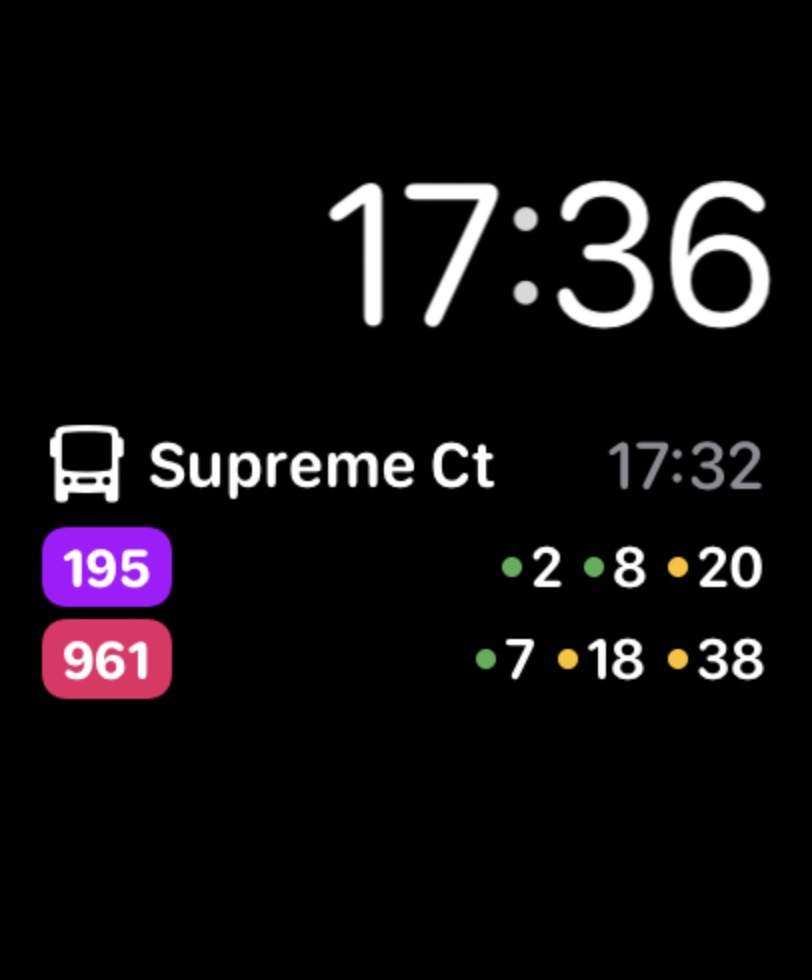
Your bus, on your watch face
Add the GoBus SG complication and your bus joins the time and the date on your dial. The format is simple: bus number, minutes away. Seven. Two. Arriving.
You glance the way you glance at the time — and find out whether to start walking.
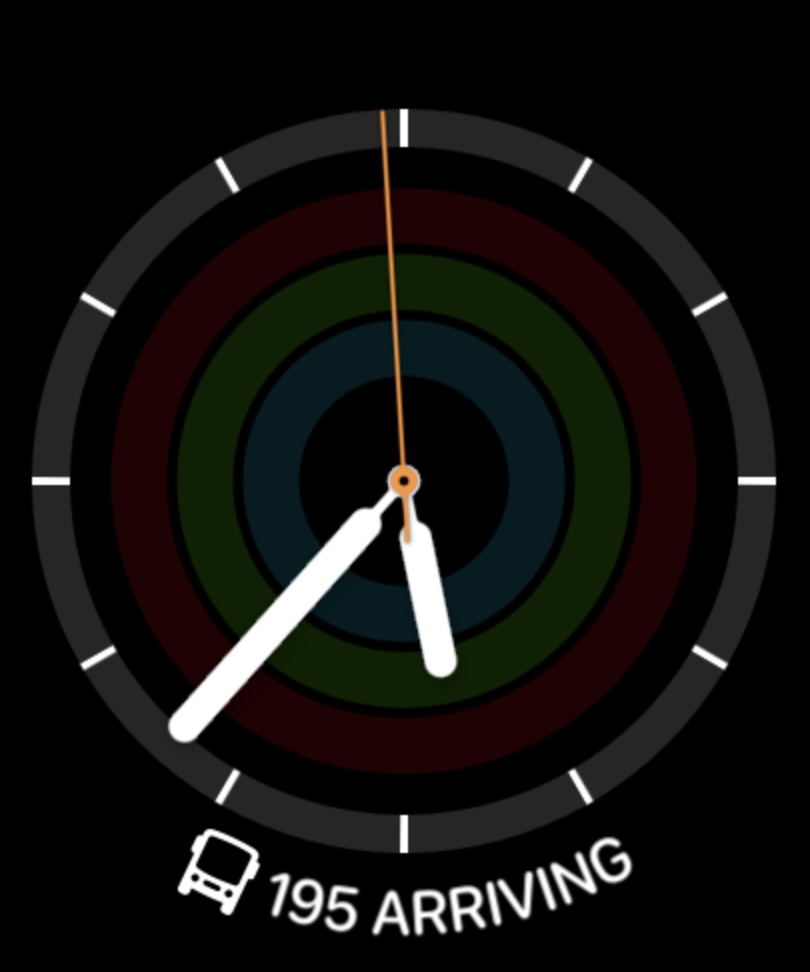
What ships on the wrist
This release puts four things on your watch from day one:
- A native watchOS and Wear OS build — not a notification, not a phone mirror.
- Live LTA DataMall bus arrivals, on the wrist.
- Your starred favourite stops, synced across from the phone automatically.
- A Smart Stack widget and a watch-face complication on day one.
The bar we set ourselves
What we wanted the watch experience to feel like:
- Sub-two-second cold open. Wrist up, number there.
- Numbers legible at arm's length, in motion.
- Honest predictions — every minute and seat colour from LTA, not estimated.
- No phone tether for the answer. The watch works on its own connection.
- No noise. No notifications you did not opt into.
Quick setup
- Update GoBus SG on the phone.
- Open the Watch app on iPhone, or Wear OS / Galaxy Wearable on Android.
- Install GoBus SG on the watch.
- Open it — your favourites are already there.
- Pin the Smart Stack widget for your most-used stop.
- Optional: add the GoBus SG complication to your watch face.
The promise stays the same
- Free. No subscription, no premium watch face.
- No account. No sign-up, no email.
- No tracking. Favourites stay on your devices.
- Official LTA data only. No scraping, no guessing.
Get GoBus SG
Live Singapore bus, MRT and LRT arrivals — now on Apple Watch and Wear OS too.